> ## Documentation Index
> Fetch the complete documentation index at: https://help.bilopt.com/llms.txt
> Use this file to discover all available pages before exploring further.

# AIで自動設計する

<Note>
  自動設計機能をご希望の場合はサポートまでお問い合わせください。
</Note>

## タスクを作成する

プロジェクト詳細ページのデザイン一覧画面で「AIで作成」ボタンをクリックすると、自動設計タスクの作成画面が表示されます。
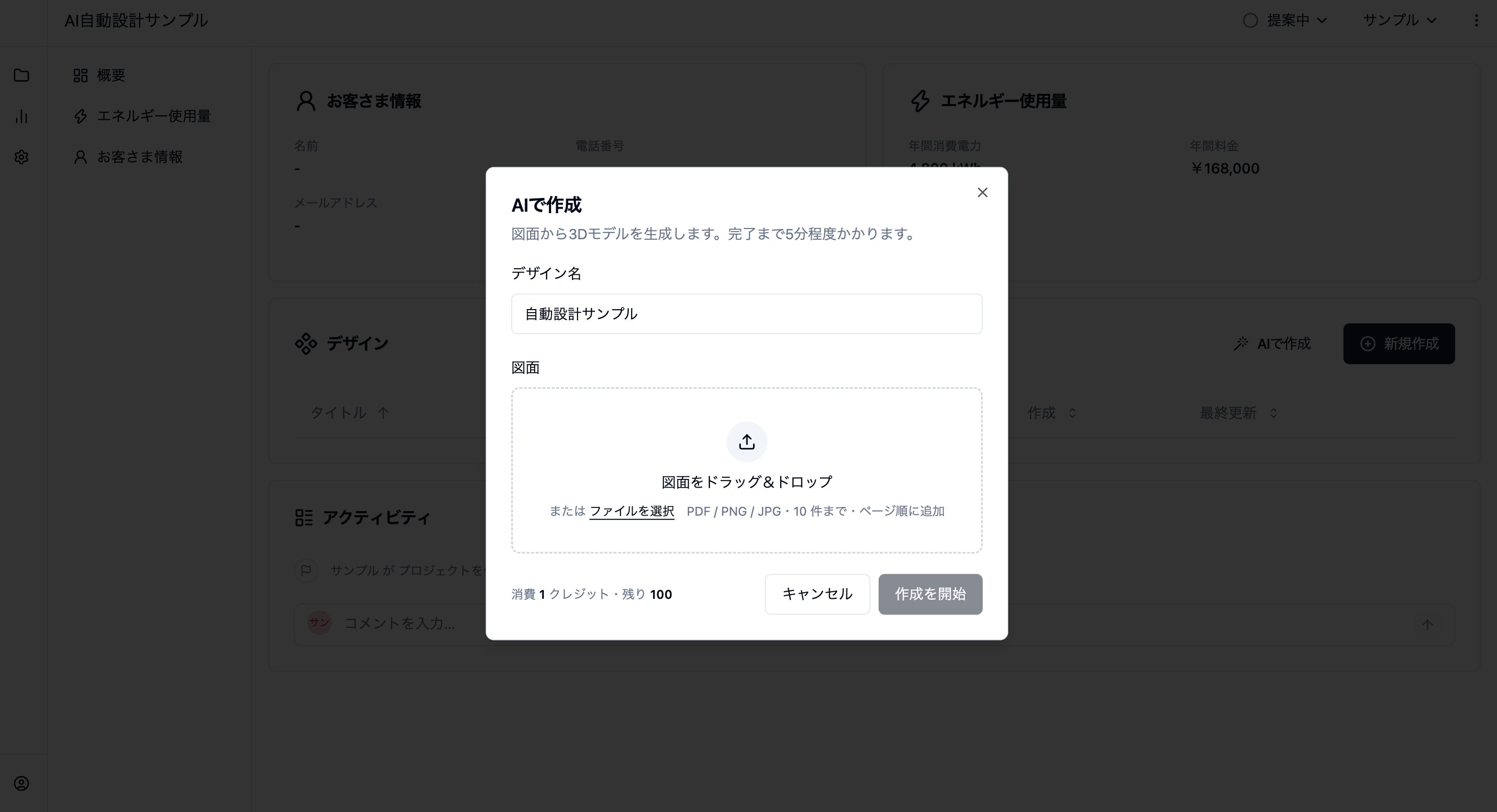
<img src="https://mintcdn.com/bilopt/vJ8zjbpoWXH_PkOM/images/help/design/design-with-ai-02.webp?fit=max&auto=format&n=vJ8zjbpoWXH_PkOM&q=85&s=98b6a8ad20eeb3c37fdf7f4dd6435324" alt="デザイン名を入力して建築図面をアップロードする自動設計タスクの作成画面" width="2934" height="1592" data-path="images/help/design/design-with-ai-02.webp" />

作成するデザイン名を入力し、建築図面をアップロードしてください。
ファイルは複数選択可能で、複数ページのPDFにも対応しています。
平面図や立面図、また屋根伏図や配置図も3Dモデルの自動生成のヒントになります。
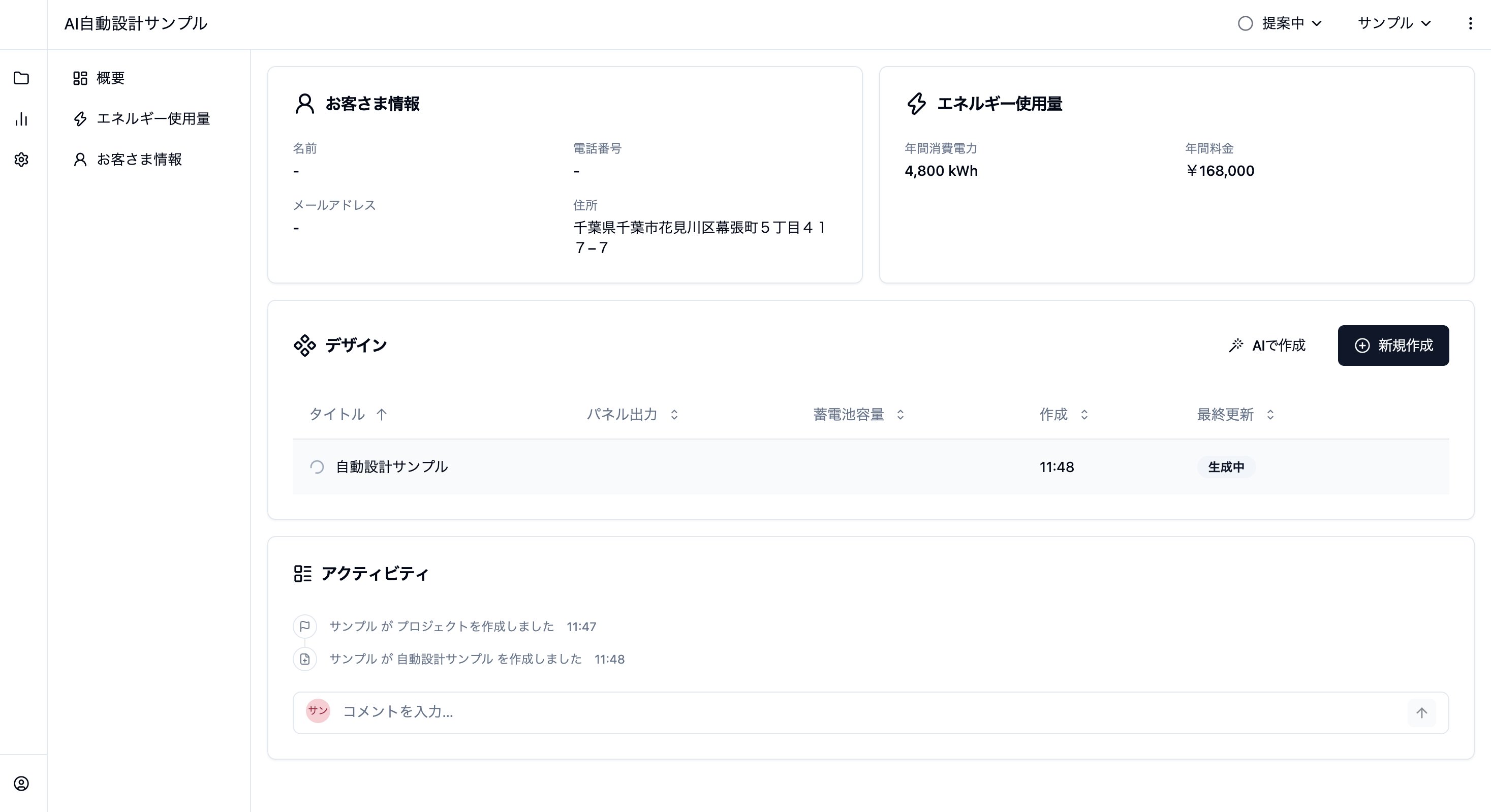
<img src="https://mintcdn.com/bilopt/vJ8zjbpoWXH_PkOM/images/help/design/design-with-ai-03.webp?fit=max&auto=format&n=vJ8zjbpoWXH_PkOM&q=85&s=aae950421fe5a3500c0d330341bd8c2f" alt="実行中の自動設計タスクが生成中と表示されたデザイン一覧" width="2934" height="1598" data-path="images/help/design/design-with-ai-03.webp" />

タスクの実行完了には約10分かかります。
実行中の自動設計タスクは、デザイン一覧に「生成中」と表示されます。

## 3Dモデルを確認する

自動設計が完了し、デザインページを開くと、PDFから生成した建物の3Dモデルが表示されています。
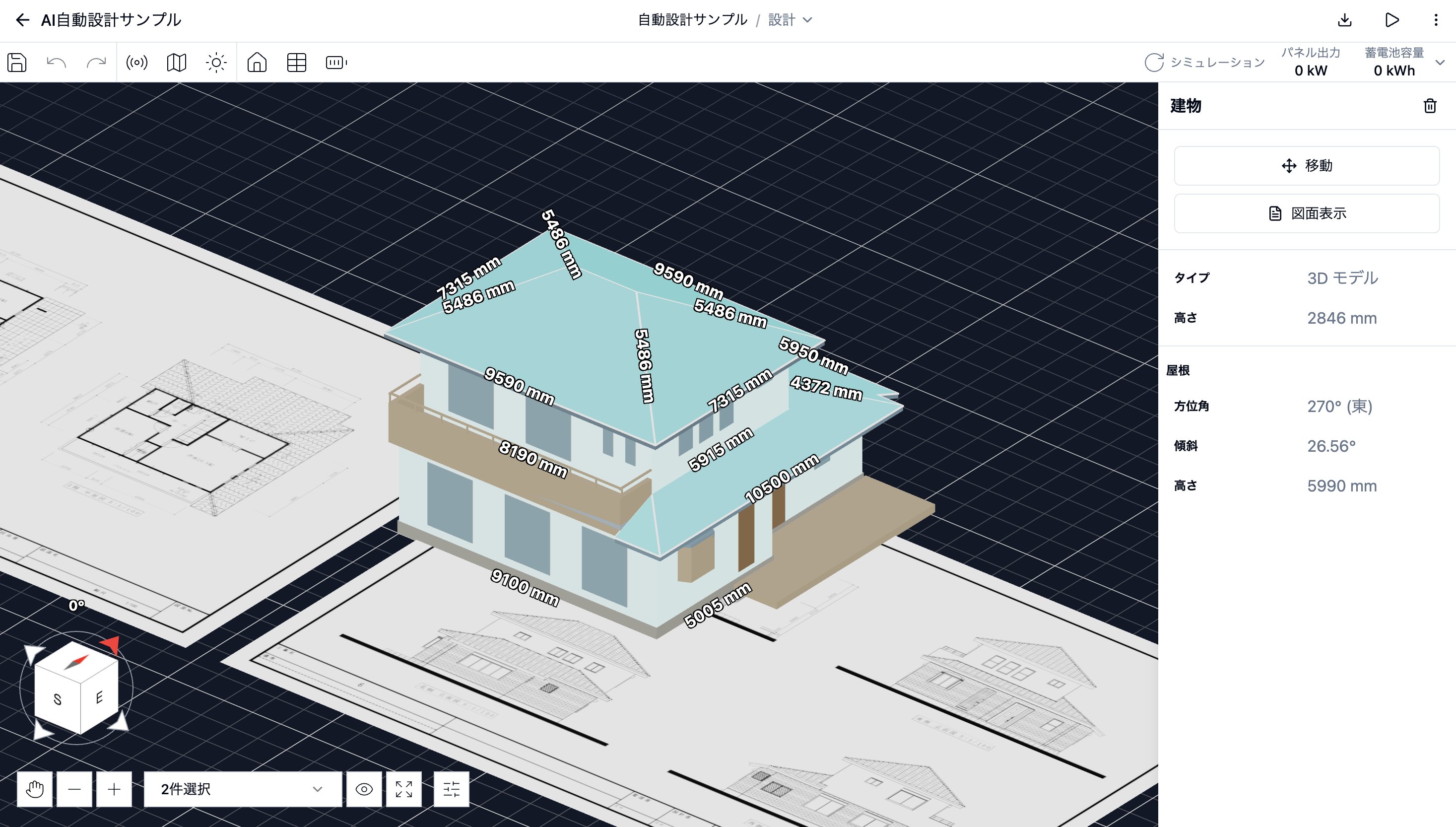
<img src="https://mintcdn.com/bilopt/vJ8zjbpoWXH_PkOM/images/help/design/design-with-ai-04.webp?fit=max&auto=format&n=vJ8zjbpoWXH_PkOM&q=85&s=d5d031752e8d9785f769554d616f6844" alt="自動生成した建物の3Dモデルを選択し、図面表示ボタンと建物の情報を表示した画面" width="2934" height="1666" data-path="images/help/design/design-with-ai-04.webp" />

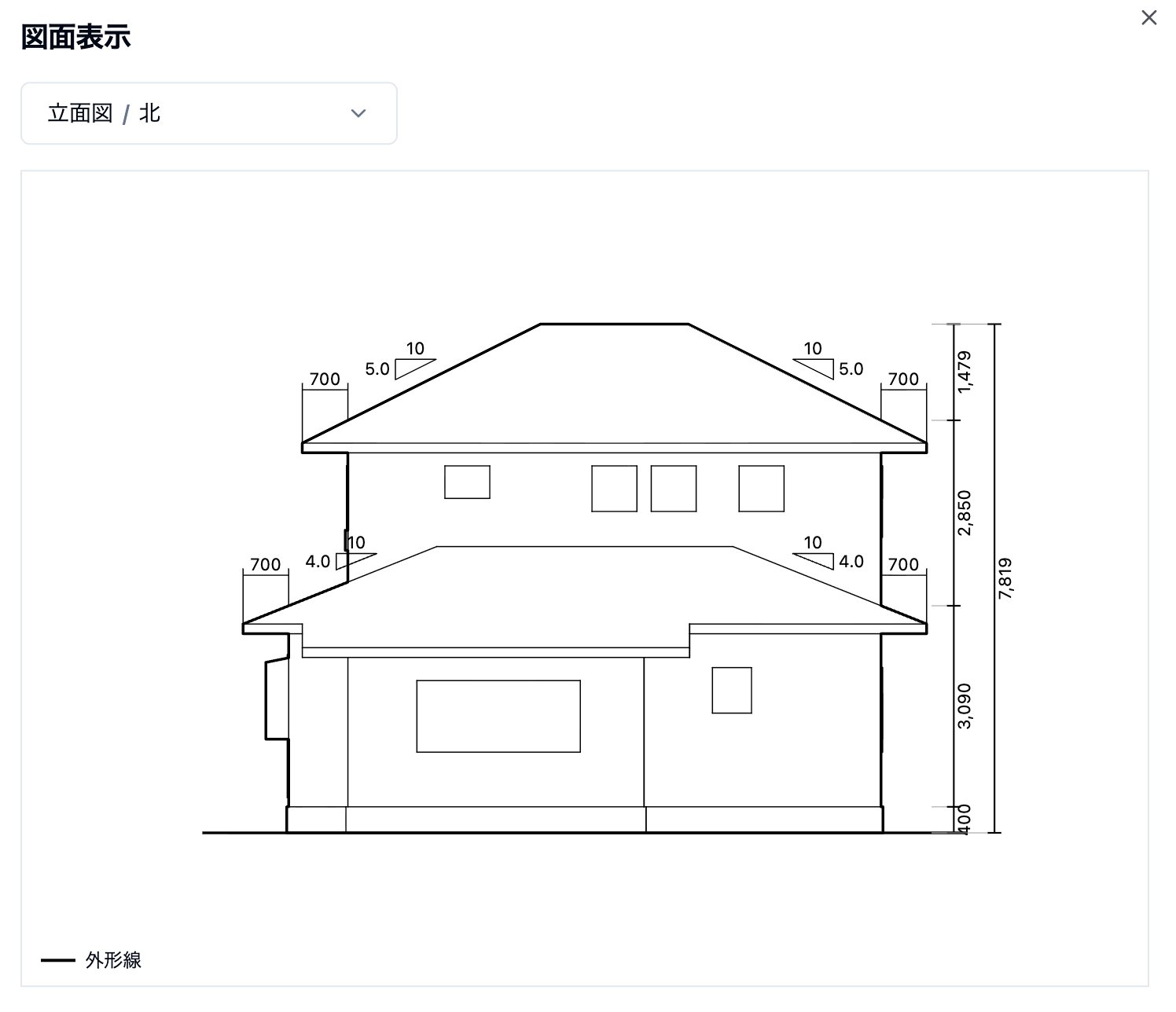
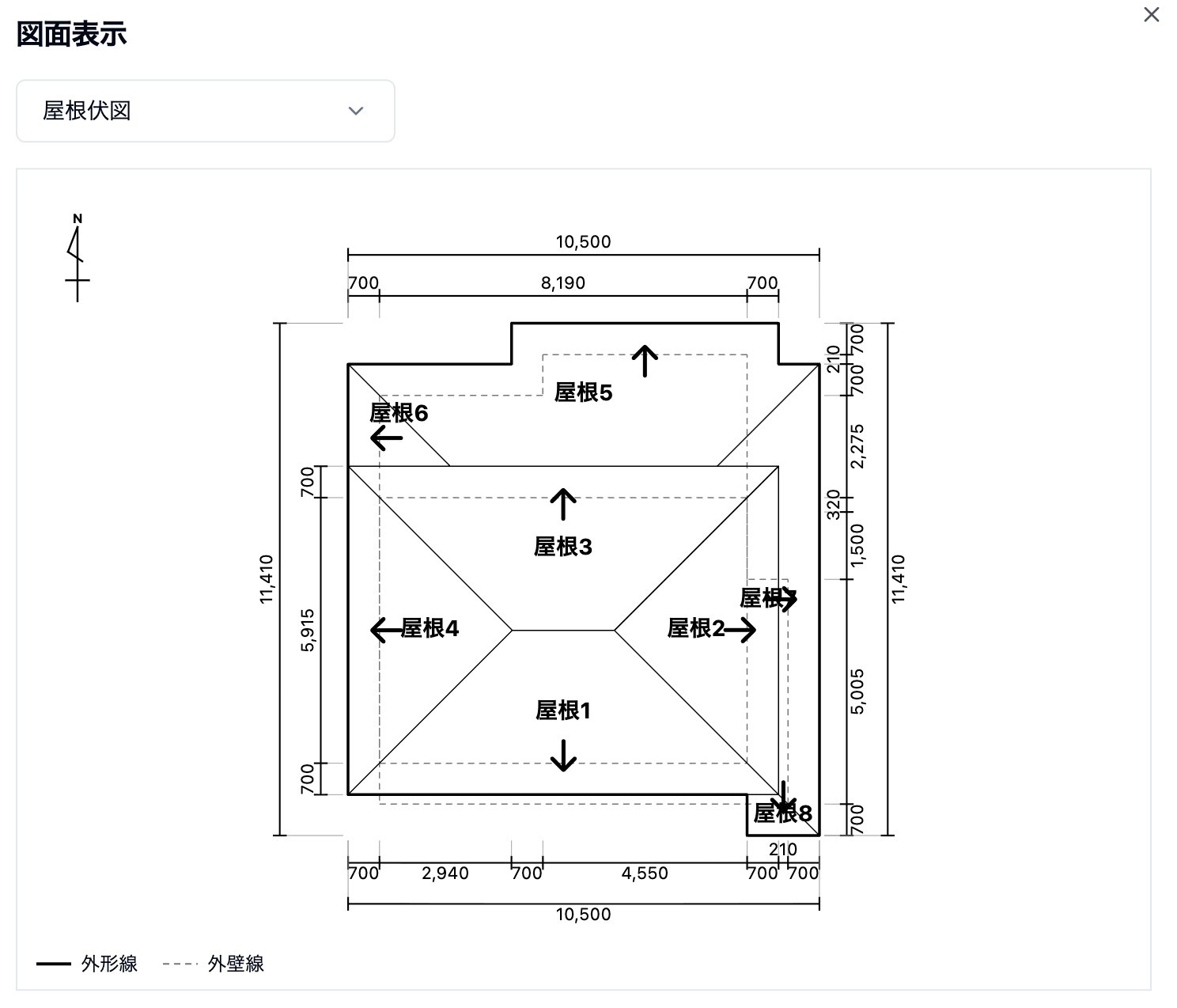
作成した3Dモデルを選択し、「図面表示」をクリックすると、3Dモデルの屋根伏図、立面図、屋根展開図を確認できます。
<Columns cols={2}>
  <Column>
    <img src="https://mintcdn.com/bilopt/vJ8zjbpoWXH_PkOM/images/help/design/design-with-ai-05.webp?fit=max&auto=format&n=vJ8zjbpoWXH_PkOM&q=85&s=bd0d46b624186d9033551a0d6a359e8a" alt="自動生成した3Dモデルの屋根伏図と寸法を表示した図面確認画面" width="1488" height="1274" data-path="images/help/design/design-with-ai-05.webp" />
  </Column>

  <Column>
    <img src="https://mintcdn.com/bilopt/vJ8zjbpoWXH_PkOM/images/help/design/design-with-ai-06.webp?fit=max&auto=format&n=vJ8zjbpoWXH_PkOM&q=85&s=0a8c66a374d64b2d2824658abddfa85b" alt="自動生成した3Dモデルの北側の立面図と高さの寸法を表示した図面確認画面" width="1496" height="1288" data-path="images/help/design/design-with-ai-06.webp" />
  </Column>
</Columns>


This documentation is built and hosted on [Mintlify](https://mintlify.com), a developer documentation platform.